
ClearBox




🌍 ?
What is ClearBox?
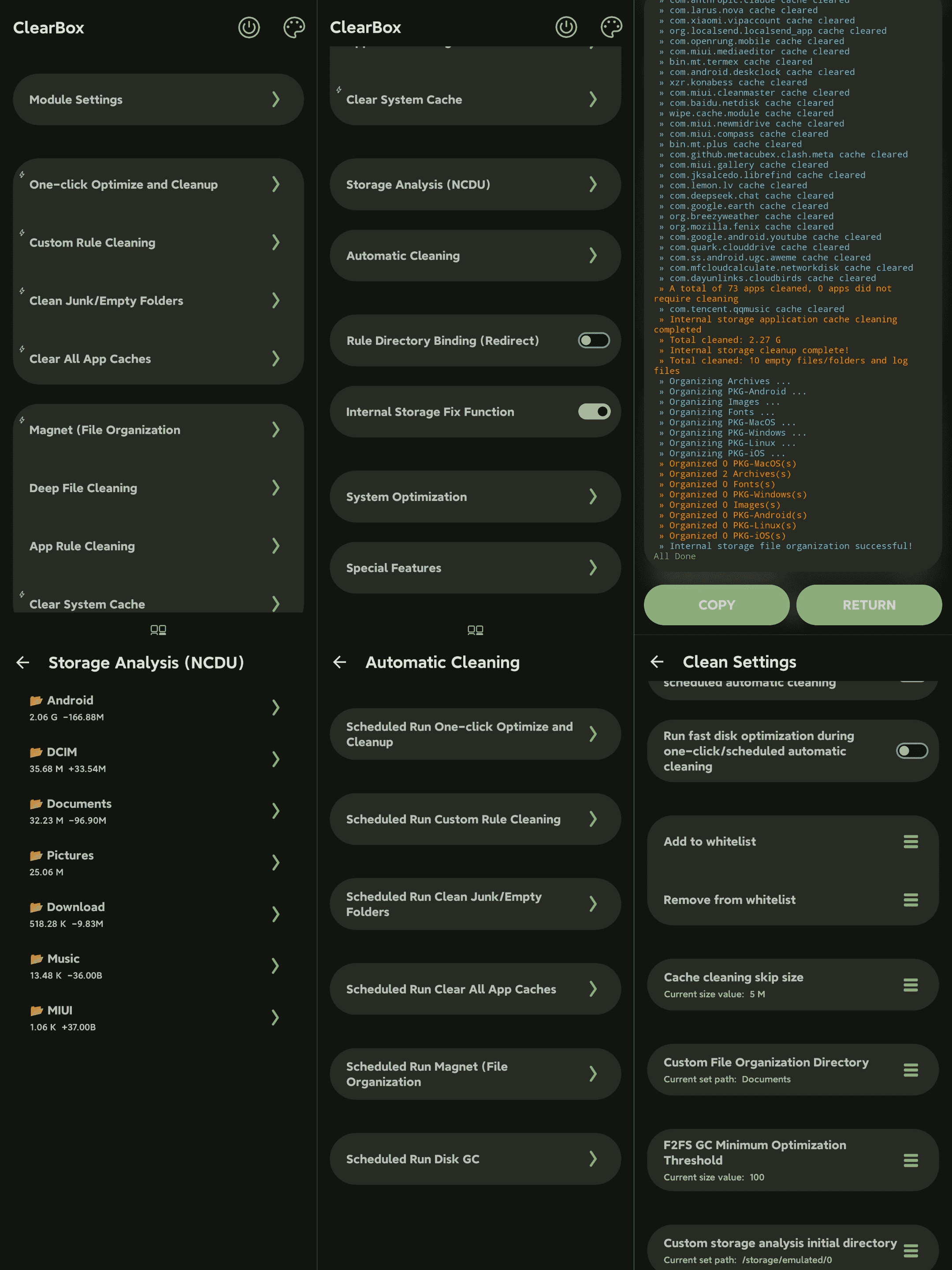
ClearBox is a multi-functional, deep, and fast cleaning tool that can quickly free up space on your device, organize storage, lock, clear software caches, installation packages, compressed files, junk files, empty folders, suppress cache, classify files, clear data, and prevent software updates/installs all in one go. It also supports automatic optimization/cleaning, file categorization features, and allows you to add custom cleaning rules, file cleaning/organization categorization, whitelists, and other rules. Additionally, it supports adding custom tasks via an automation system using modules.
The execution time is much faster than regular cleaning software on the market, comparable to ✈️ speed. The automation function is only handled by a very low-usage Timed, so the overhead is negligible. No software background process is required, no forced app binding, and it supports full functionality through a terminal TUI.
Compatible with Magisk, APatch, KernelSU, and their various forks
Installation?
Release Version
CI Build
How to use:
:Install and use the module ClearBox app (asked during module installation
:Enable the terminal UI feature by typing
ClearBoxin any terminal
Brief functions:
One-click optimization & cleanup
Perform fast one-click optimization/cleanup, the effect is equivalent to periodic optimization. Including cache cleanup, junk cleanup, fast disk GC, etc. According to module settings, file cleanup/organization can also be run
Clean/Kill custom directories
This function is rule-based cleanup. You can add cleanup rules yourself in the /data/adb/wipe_cache/CleanConfigs directory.
Configuration method:
Rules use text format. Optionally fill in @/xxx (starting from the root directory) on the first line of the rule file to specify the initial directory. Different rule files are independent.
One file/directory path per line. If you have specified the initial path, you can fill in only the relative (initial directory) path instead of the full path.
Clear junk files & empty folders
Clean internal/external storage empty folders, multimedia cache, software cache, etc.
Clear all software cache
Clears third-party application caches, excluding system application caches. If you have enabled external storage cache cleaning, it will also clean external storage.
Deep File Cleaning
File cleaning function, comes with some built-in cleaning configurations, supports custom file format configurations, and supports external storage.
Configuration Method:
Configuration Directory: /data/adb/wipe_cache/FileConfigs
Configuration Approach: Create a .conf document file in the configuration file directory. The file name (without extension) will be displayed as the corresponding cleaning item name on the cleaning page. Fill in custom file extensions into this file, separated by spaces or line breaks. Lines beginning with # are comments.
Add @MAX or MIN = < size / B or BYTE / K or KB / M or MB / G or GB > within the file to specify the target file size range. Parsing is overwritable — later declarations override previous ones, so you can leverage this to craft your own rules.
Example:
# I am a comment

# This declaration specifies to only organize zip and 7z files with a max of 1G and min of 10MB
# but iso and img have no maximum size limit

@MAX=1/G @MIN=10/M

zip 7z

# max -1 means unlimited (max no longer applies until the next declaration), but min still applies

@max=-1
iso img

# Also supports KB, MB, GB &

@MIN=10/KB exe
@MIN=1/MB apk
Note:MIN cannot be greater than MAX, otherwise MIN is automatically invalidated. Please reset MAX before setting a larger MIN. MAX, MIN, and size units are case‑insensitive (you may have noticed :-)),Floating point numbers (decimals) are currently not supported.
The software/terminal cleaning page will be dynamically built based on the configuration files.
Scope: File cleaning, file organization.
Software rule cleanup
One of the rule cleanup functions, used to clean the internal private directory of software according to rules
Configuration method:
Configuration directory: /data/adb/wipe_cache/AppCleanRules
Configuration way:Create a conf file in the configuration directory. The file name is arbitrary but must not contain special symbols, spaces, etc.
Fill in @<package_name>/<app_name> at the beginning of the first line to specify the software corresponding to this rule;
After that, one folder path or file path per line. The initial directory is the App data directory.
The module will automatically find the data directory corresponding to the package name. The software name will be displayed in the cleanup interface
The software/terminal cleanup page will be dynamically built according to the configuration file
Please do not hard-code cleanup rules with root directory /xxx in the rules, otherwise cleanup will report an error and skip this rule file.
The module will automatically check some configuration errors
Clear system cache
Clear system software cache, system cache, and also clear MTP host data (can solve MTP file transfer file list display abnormality)
[Beta] Storage Analysis (NCDU)
Analyze storage directory usage – who ate my storage space?
Auto Cleanup
Feature automation, driven by the Timed component (ultra-low overhead).
• Did you know?
You can use the Timed module to run custom tasks! Follow the configuration below:
Config Directory: /data/adb/wipe_cache/TimedConfigs
Create a custom-named .conf file in this directory, fill in and modify the following lines (some are optional):
time=interval/time unit (currently supports M/minutes, H/hours, D/days)
date=last run time (timestamp number). This is an optional parameter. If not filled, the program will automatically set it to the current time. Set to -1 to execute immediately.
run=program and parameters to execute, supports Shell syntax (parsed by Shell)
in=start time/end time (only run between hour X and hour Y. This is an optional parameter)
post=notification title/notification content (send notification. This is an optional parameter; not recommended for minute-level tasks)
Among them, time and run are required fields, all KEYs are case-insensitive. Example:
time=1/D
date=0
run=sync
in=0/5
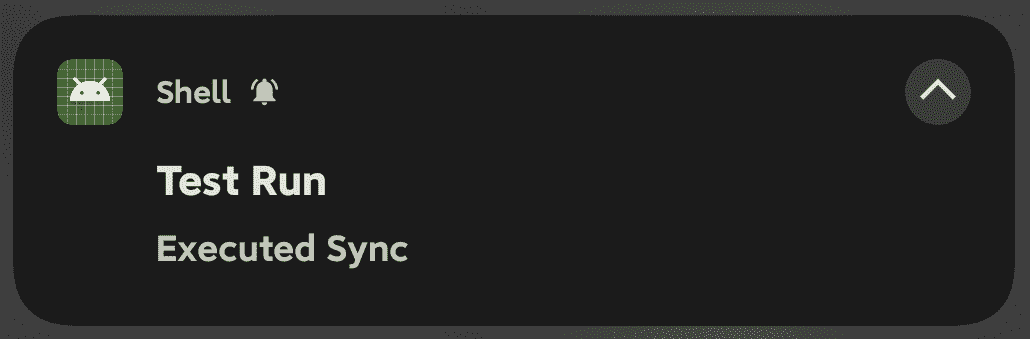
post=Test Run/Executed Sync
The above configuration will run the /system/bin/sync command once between 0:00 and 5:00 AM daily and send a notification.
Block All Software Update Installations
As the name implies, file system-level forced blocking of software installations, does not handle expanded storage, therefore if the software is installed on external storage, this item is invalid
Internal Storage Fix Function
As the name implies, locks the internal storage root directory layout to prevent various applications from randomly creating files/folders, does not handle expanded storage
Block cache function
This is an important function of the module, used to dynamically block foreground software from generating cache.
After turning on this function and restarting to activate, it will automatically cache the latest 5 foreground software and block cache. You can customize and add a whitelist.
Whitelist location: /data/adb/wipe_cache/whitelist.prop or add it in the module ClearBox app.
Other:The module adopts a dynamic wait update method (10s & 30s), on the one hand to avoid continuous resource occupation, on the other hand, some software will be abnormal when launched under the cache block state. Delayed activation of cache blocking after entering the software is the optimal solution.
Blocking cache will not clear the software cache, so the software cache will not be 0, but will grow slowly. This avoids continuous small file erasure and only limits large cache generation
Extremely low overhead, automatically delays execution when the screen is off
If some software is abnormal, please add it to the whitelist yourself!
Magnet (one-click file classification)
One-click organization of internal/external storage files, shares rules with file cleaning, supports custom organization directory
Rule Directory Binding (Redirect)
Configuration Directory:/data/adb/wipe_cache/BindConfigs
Create a custom name .conf file in this directory and fill in custom mount rules:
<Bind Directory> <Target Directory>
Note: Please do not enter absolute paths, but rather relative internal storage paths, otherwise mounting will fail
When writing/creating directories/files into , they will be redirected to
This feature cannot currently run on devices using sdcardfs, but don't worry, Android 12+ devices have basically stopped using sdcardfs
Disk & software optimization
This is an optimization function set, including disk optimization ( f2fs-GC ) and Dexoat (software pre-compilation) functions
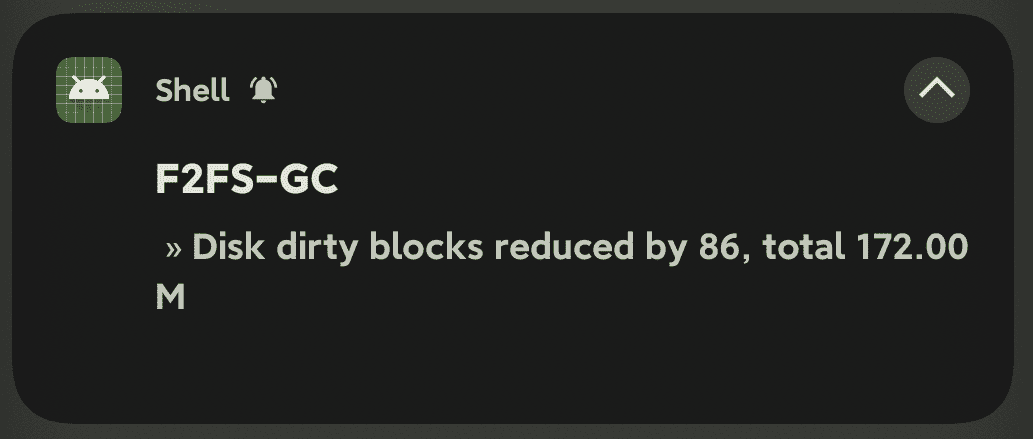
F2fs disk GC, this function belongs to emergency GC, so it does not need to be used frequently, just run it regularly. The solution comes from the big guy Coolapk@Amktiao, and has been agreed, thanks to the big guy!
Dexoat software pre-compilation, that is, pre-compile software to accelerate runtime speed, the disadvantage is that it takes up storage space, which belongs to the space-electricity-for-smooth operation () The module provides three modes in advance: system default Dexoat, custom compilation mode, RESET:
System default Dexoat: Android system (especially newer systems) will also automatically compile some hotspot functions when idle to improve overall running speed, so the module provides system Dexoat mode, this mode is equivalent to manually triggering system Dexoat, the mode and compilation items are determined by the system.
Custom compilation mode:This mode supports manually specifying the compilation mode, currently supports Speed, Speed-profile, Everything three modes
RESET:Restore compilation
Welcome to contribute and participate in development in any form!
Welcome everyone to share your feedback & suggestions on the module features. Thank you.
The module ClearBox App is made using the Kr-Script project. Thanks to the project.
Star History