

🎮 COPG — Advanced Android Customization & Spoofing
A powerful platform for device & app spoofing, system-level control, and advanced ROM capabilities.










🌐 Official website — download COPG free & buy COPG PRO: vendors.copg.my
🌐 Languages / 语言:English · 简体中文
✨ Why COPG?
COPG is a Zygisk module that makes most games and apps believe they are running on a different, fully‑featured flagship device — unlocking the high‑FPS modes, HD graphics and premium tiers that are otherwise gated to specific hardware. It pairs that with a CPU spoofer, a userspace comfort‑tweak controller, and a beautiful on‑device WebUI to manage everything — all without rebooting.
🎙️ A COPG exclusive — concurrent microphone. COPG is the only Zygisk / Magisk / KernelSU module that lets two apps use the microphone at the same time on Android — run a game's in-game voice chat and a screen recorder together, or keep recording while you're on a call. No other root module does simultaneous microphone access. See Concurrent Mic below.
🧰 Features
Legend —
FREEno license ·PROlicense-unlocked · ⚠️ risk-gated: a resident (detectable) hook behind an in-app use-at-your-own-risk warning — never for anti-cheat games. Everything unmarked is stealth — the module unloads before the app runs, so nothing of COPG stays mapped in memory.
🎯 Device & Hardware
- Device Spoofing
FREE— per-app Build profile: brand, model, fingerprint, SDK, baseband, serial + 12 extra Build fields, so each app sees the exact flagship it rewards. - Per-User Spoofing — a different device per Android user / app-clone (HyperOS, One UI, work profiles); each clone gets its own derived Android ID / serial / advertising ID / IMEI. The app picker's Apps for drawer finds clones automatically.
- CPU Spoofing
FREE— report flagship-class silicon for apps that gate features on the chipset. - GPU Spoofing
PRO⚠️ — OpenGL renderer/vendor + Vulkan device name, per app. - Refresh-Rate Spoof
FREE⚠️ — a custom panel refresh rate (120 / 144 / 165 Hz) plus the full supported-modes list. - Sensor Spoof
PRO⚠️ — a per-app sensor-list fingerprint (name + vendor) so sensor-hashing anti-fraud SDKs see a consistent device.
🧬 Identity & Fingerprint
- Prop + Android ID
PRO— stealth copy-on-write prop spoof (fingerprint, build props) and per-app Android ID. (CPU, device profiles, Build/serial and block-CPU stayFREE.) - IMEI / Device ID
PRO— fake IMEI per app, or device-wide Global IMEI (Settings,*#06#and every app — runs in a separate process, no risk gate). - DRM / Widevine
PRO— report a higher Widevine security level (L1 / L2 / L3) and spoof the DRM device & system ID. - Advertising ID
PRO— each app its own Google Advertising ID (auto per-app, or pin a UUID). - App Set ID
PRO⚠️ — each app its own Google App Set ID (auto per-app, or pin a UUID). - Wallpaper ID
PRO— a per-app wallpaper ID, a data-clear-surviving link signal fraud SDKs read. (stealth, system_server) - getprop Consistency
PRO⚠️ — make an app's childgetpropreturn the same spoofed values as the API, so the cross-check lines up (pair with the COW prop spoof). - Google Account
PRO— a different Google-account list per app: hide all accounts, or one fake email per persona. (stealth, system_server — beats DoorDash / Forter linking)
📡 Network & Location
- SIM / Carrier
PRO— carrier name, operator code (MCC/MNC) & country, per app and per SIM slot; also per-app/slot IMSI & ICCID. Safe mode is stealth; Aggressive mode is resident ⚠️. - Cell Tower
PRO⚠️ — a fake serving cell: area code (LAC/TAC), cell ID (CID/CI/NCI) + optional MCC/MNC, consistent acrossgetAllCellInfo. - GPS Location
PRO⚠️ — put an app anywhere (135 built-in places, or custom lat/lng); covers the normal location APIs and Google's Fused/GMS provider. - Per-App Proxy
PRO— route one app through your own SOCKS5 / HTTP / SOCKS4 proxy (kernel-level, no interface the app can see, ban-safe). Pair with a matching SIM/region so device, SIM and IP agree. - Timezone + Language
FREE— a per-app timezone and language/region (BCP-47); apps read and even render in the fake locale. (stealth, system-side)
🧩 App & System
- Play Source + PairIP Bypass
PRO— make an app look Play-installed and block Google's PairIP license check, so paid/locked apps open. (stealth, out-of-app) - Tensor Feature Unlock
PRO— chosen apps see Google's Pixel Tensor system features (Tensor-gated AI). (stealth, system_server) - WebView User-Agent
PRO— give any WebView app its own browser User-Agent, from a reusable named profile. - WebView Canvas
PRO⚠️ — per-app stable canvas-fingerprint noise (including iframes); breaks canvas tracking. (WebGL is covered by GPU spoof.) - Fake Uptime
PRO— make an app think the device has run for days (Java + native readers), useful against anti-fraud / referral flows.
🔒 Privacy & Unlocks
- Privacy Hides — Hide VPN (Java + native, pairip-safe)
FREE· Mock-Location hidePRO· Hide Developer Options + USB debuggingFREE— pass the checks banking / privacy apps run. - Screenshot + Storage
FREE— disable FLAG_SECURE device-wide to capture apps that block it (banking, chat, wallets); No Storage Restrict re-enables picking Android/data, obb, the SD-card root and Download in the file picker. - Install Patches
FREE— install modified / re-signed / downgraded APKs: disable signature verification, allow downgrade, skip the install verifier (Play Protect scan), allow compressedresources.arsc. (system_server — this lowers a real security boundary; only install APKs you trust.) - Concurrent Mic
FREE🏆 — the only module that lets two apps use the microphone at the same time (a game's voice chat + a screen recorder, or recording while on a call). Android normally silences one capturer; COPG stops that device-wide. (out-of-process, audio server, no reboot)
🎛️ Comfort Tweaks
- Per-App Comfort Tweaks
FREE— auto Do-Not-Disturb, disable auto-brightness, keep screen on, stop logging, and a per-app screen DPI — applied only while a tagged game is active, then restored.
🔁 Add or remove devices, games & apps without a reboot · 🌍 10-language WebUI · 🎨 Light / Dark / AMOLED themes.
🚀 Maximize Your Gaming
| Game | Unlock |
|---|---|
| Call of Duty Mobile | 120 FPS (BR / MP) |
| PUBG Mobile / BGMI | 120 FPS · Haptic Feedback |
| Delta Force | 120 FPS · HD Graphics |
| Free Fire / Free Fire MAX | 144 FPS |
| Mobile Legends: Bang Bang | 144 FPS |
| Fortnite | 120 FPS |
| Asphalt 9 | 120 FPS |
| Farlight 84 | Max Graphics |
| Arena Breakout | 90 / 120 FPS |
| Honor of Kings | High‑FPS mode |
| …and 69+ more | Premium tiers unlocked |
📱 App Enhancements
- TikTok — stream in full 1080p
🖼️ Screenshots
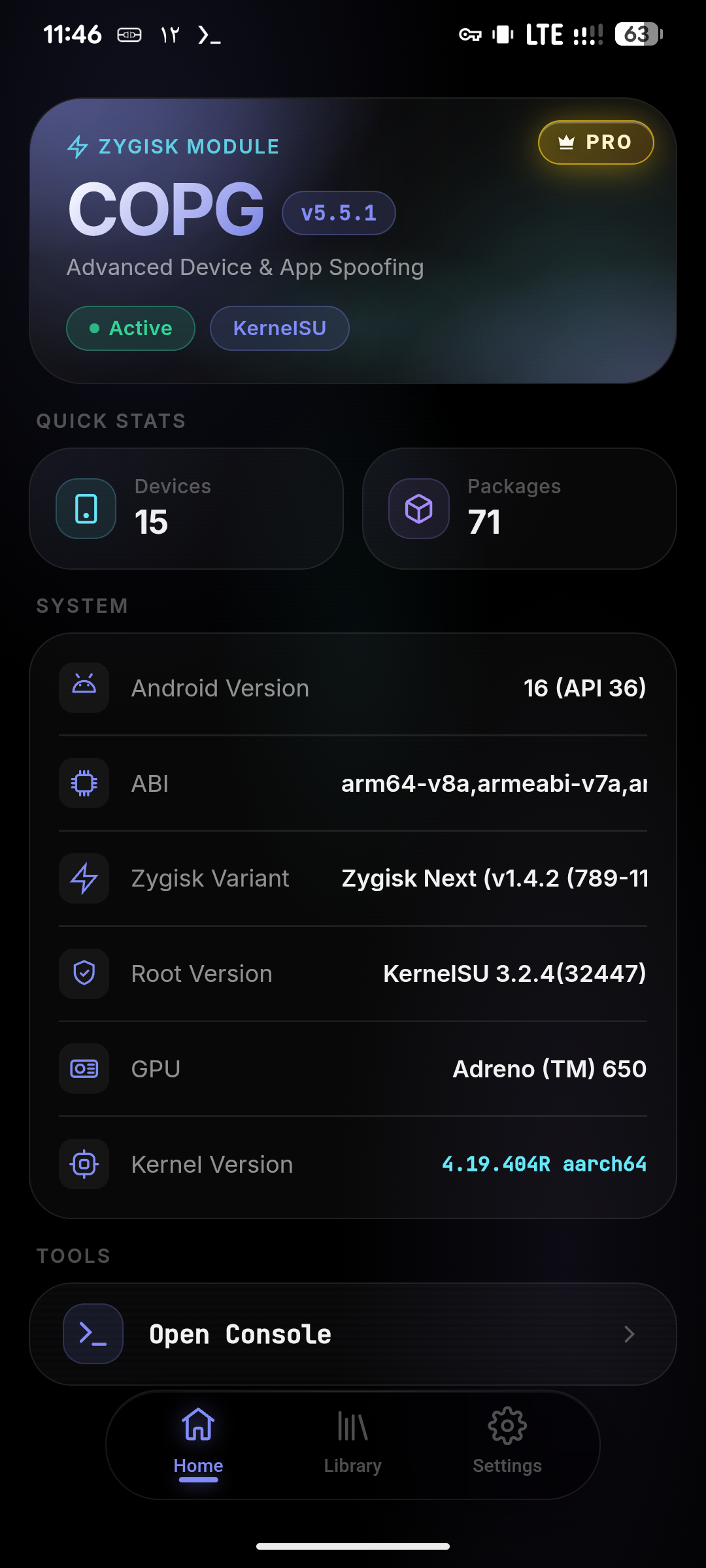
Dashboard · System info |
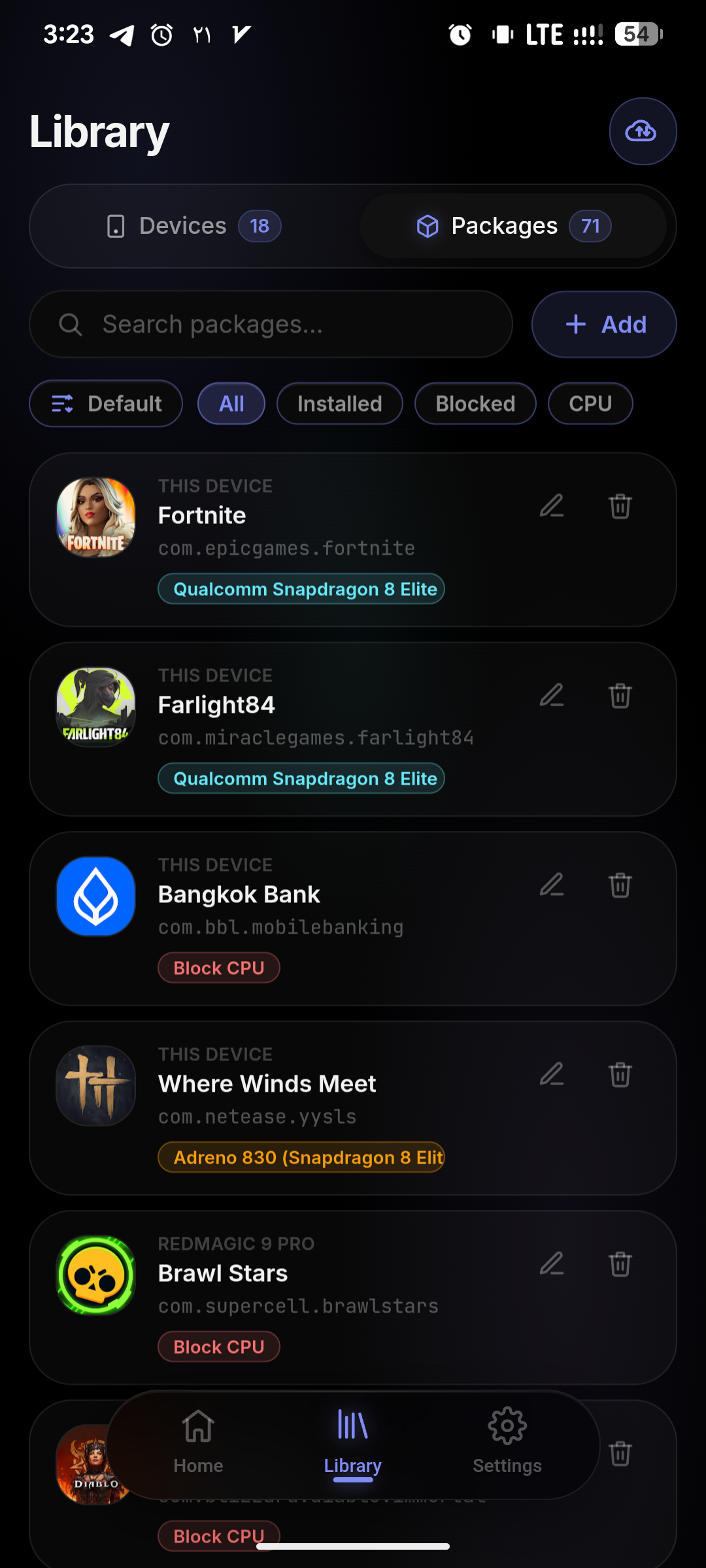
Library · Packages |
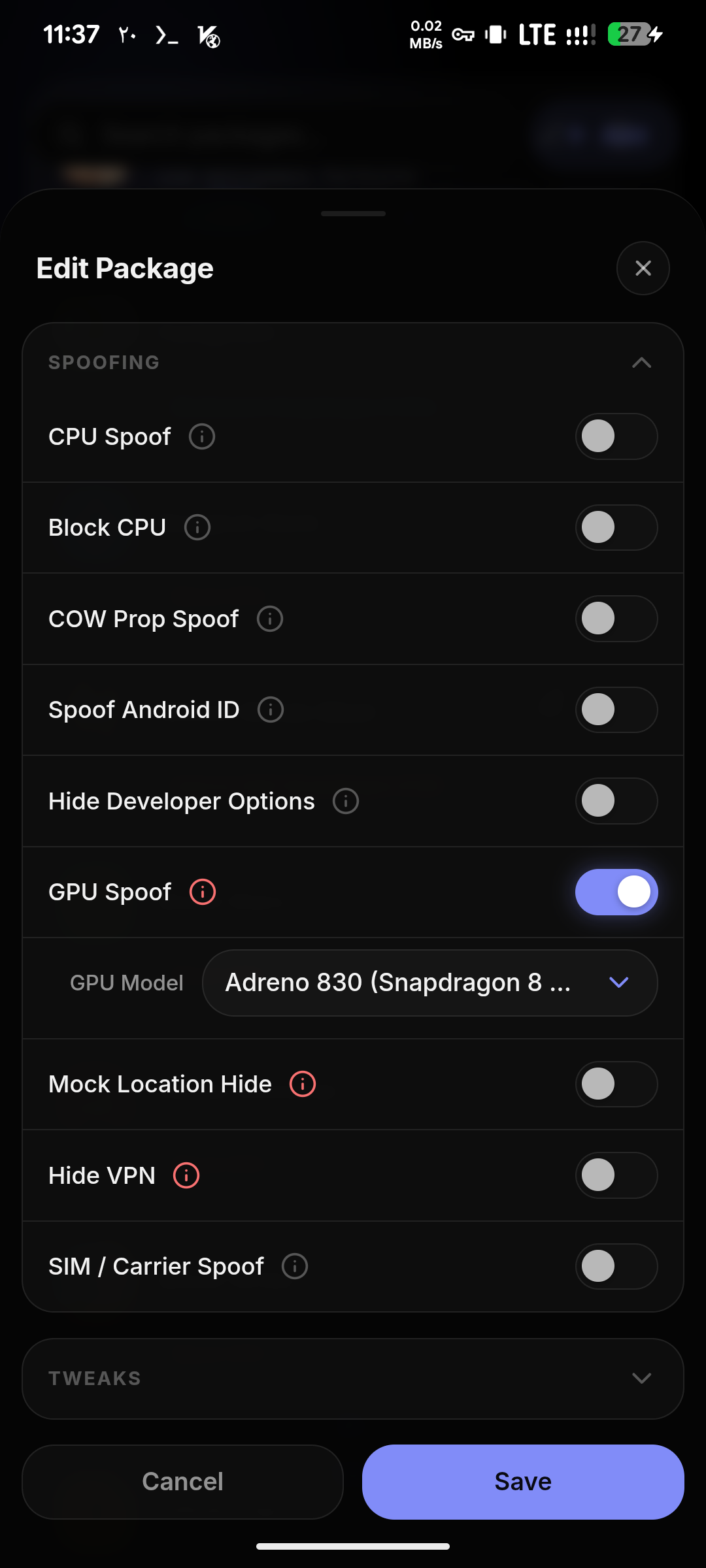
Per-App · Spoof toggles |
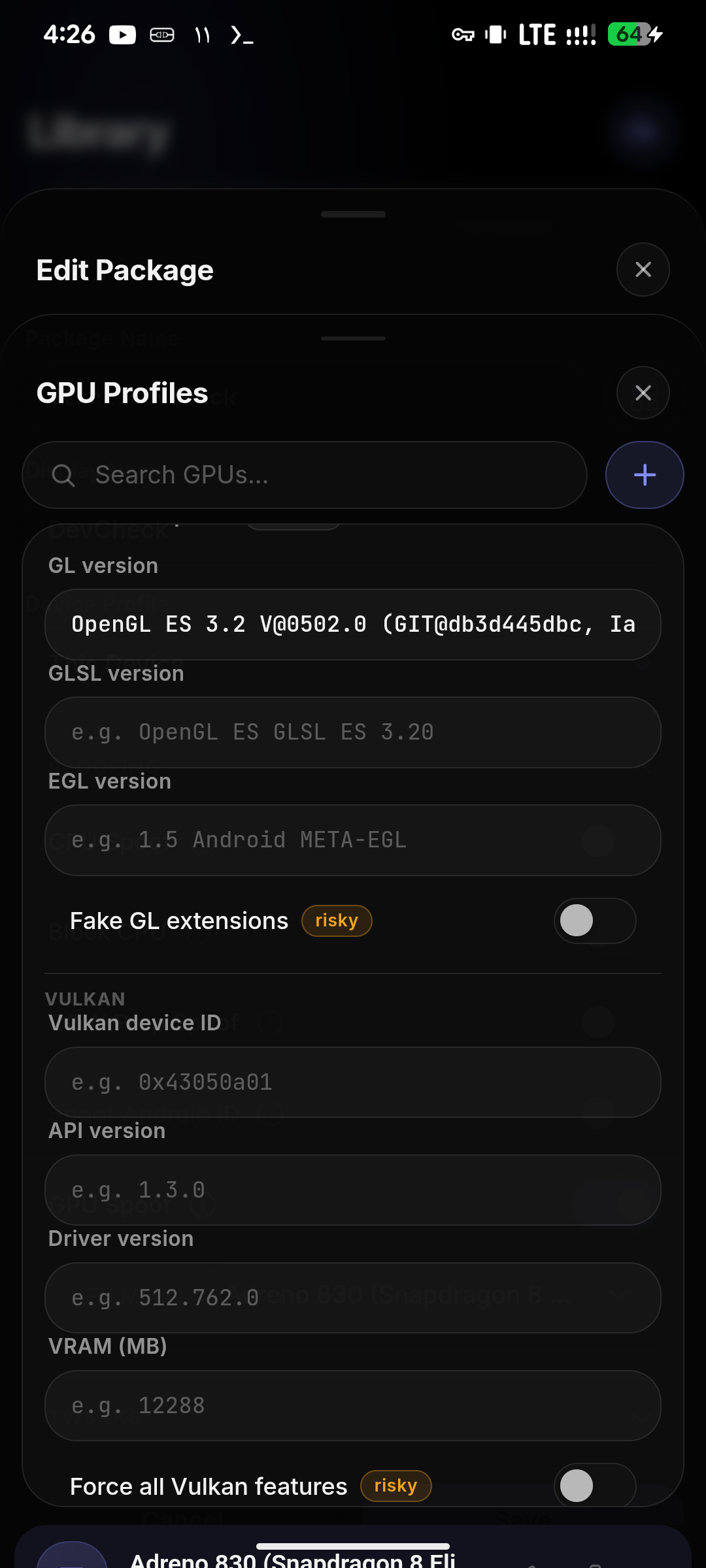
GPU · Profile editor |
📦 Installation
Requirements
- A rooted Android device (9.0+)
- One root solution + a Zygisk implementation:
| Root | Min version | Zygisk |
|---|---|---|
 |
24 | Zygisk Next · ReZygisk · NeoZygisk |
 |
0.6.6 | Zygisk Next · ReZygisk · NeoZygisk |
 |
0.10 | Zygisk Next · ReZygisk · NeoZygisk |
Important
Standard / built‑in Magisk Zygisk is not supported (not safe). Use one of the Zygisk implementations above.
Get the module



Install from MMRL (auto‑updates), from the
Magisk Alt Repo or the
KernelSU Modules Repo, or grab the latest
COPG.zip from Releases.
Steps
- Download the latest
COPG.zipfrom Releases. - Install via your root manager → Modules → Install from storage → select the ZIP.
- Reboot.
- Verify it shows up in your root manager (look for ✨ COPG spoof ✨).
- Open the module's WebUI to manage devices, games and tweaks.
🖥️ WebUI
A no‑reboot, on‑device control panel built into the module. On KernelSU and APatch it opens straight from the manager. On Magisk, install the KSU WebUI app and open COPG from there.
- 📋 Library — add & manage device profiles and per‑app spoof lists with search, sort & filters
- ➕ Add Package — pick any installed app, choose a device profile, toggle CPU / GPU / SIM / Prop / Android ID / Advertising ID (GAID) / App Set ID / DRM / IMEI / Sensor / Canvas / Tensor / GPS / Proxy / Timezone / Language / WebView User‑Agent / Fake Uptime / Mock‑Location / Hide VPN / Hide Developer Options and the DND / Auto‑Brightness / Keep‑Screen‑On / Screen‑DPI tweaks
- 📊 Dashboard — live system info: Android, ABI, Zygisk variant, root & kernel
- ✅ Hook Status — device‑wide board (Settings) showing the spoof values COPG has actually served recently (model, CPU, Android ID, sensors, carrier…) with which app and when
- 🆔 Advertising ID — view, randomize, set a custom one or restore your real ID (Settings · free)
- 📡 Global Hooks — device‑wide Global IMEI (Settings): one fake IMEI for every app,
*#06#and the dialer - 💾 Backup / Restore & Sync from GitHub
- 🎨 Light / Dark / AMOLED themes · 🌍 10 languages (EN, FA, AR, DE, ES, PT‑BR, ID, TH, TR, ZH)
⚙️ Advanced — edit profiles by hand
The WebUI is the recommended way to manage profiles, but you can also edit
/data/adb/modules/COPG/COPG.json directly:
{
  "PACKAGES_REDMAGIC_9_PRO": [
    "com.mobilelegends.mi",
    "com.supercell.brawlstars:with_cpu"
  ],
  "PACKAGES_REDMAGIC_9_PRO_DEVICE": {
    "BRAND": "ZTE",
    "MODEL": "NX769J",
    "FINGERPRINT": "ZTE/NX769J/..."
  }
}
Package tags are colon suffixes — e.g. :cpu=<model> (CPU spoof + pick the chip),
:gpu=<model> (GPU spoof + pick the GPU), :cow (prop spoof), :aid (Android ID),
:serial (per‑app serial), :gaid (Advertising ID), :appset (App Set ID), :drm (Widevine),
:imei (IMEI), :sim=<carrier> / :simx=<carrier> (SIM · safe / aggressive), :tz=<zone> (timezone),
:lang=<bcp47> (language / region), :ua=<profile> (WebView User‑Agent), :uptime=<sec> (fake uptime),
:sensor (sensor‑roster spoof), :webfp (WebView canvas spoof), :tensorfeat (Pixel Tensor features),
:gps=<lat>,<lng> (GPS location), :proxy (per‑app proxy),
:mock (mock‑location hide), :vpn / :vpns (VPN hide), :hidedev (hide developer options),
:blocked (force real CPU), :dnd / :dab / :kso / :nolog / :dpi=<n> (comfort tweaks).
❓ FAQ
🤔 What does COPG stand for?
Originally CO (Call of Duty) + PG (PUBG) — the two games it was first built for. It now supports most games and apps, but the name is kept for its history.
📌 Will this get me banned?
COPG is designed to be undetectable, but safety can't be guaranteed. Use at your own risk.
⚡ Does it affect performance?
Minimal. The spoof runs only at app launch and doesn't touch in‑game performance.
🔧 How do I open the WebUI?
On KernelSU and APatch, open it straight from the manager. On Magisk, install the KSU WebUI app and open COPG from there.
💬 Community



📧 Support email: [email protected]
🌐 Translations are community‑driven. Only English & Persian are maintained by the author — PRs for the other languages are very welcome!
₿ Support COPG
COPG is developed in my spare time and given away free. If it leveled up your games or apps, please consider supporting with any amount you wish — every bit is real motivation for stronger, continued development. And a ⭐ on GitHub helps a lot too!
| Network | Address |
|---|---|
 |
0xB8eb7Ea033823C9aA4616B0648B89CDbC931BAAd |
 |
0xB8eb7Ea033823C9aA4616B0648B89CDbC931BAAd |
 |
UQAOHoREeGeJ0_kzJpSW3m-6Dlb_lzdHpT1a-gA7NkbuCM8N |
⚠️ Double‑check the network before sending — funds sent on the wrong chain can be lost.
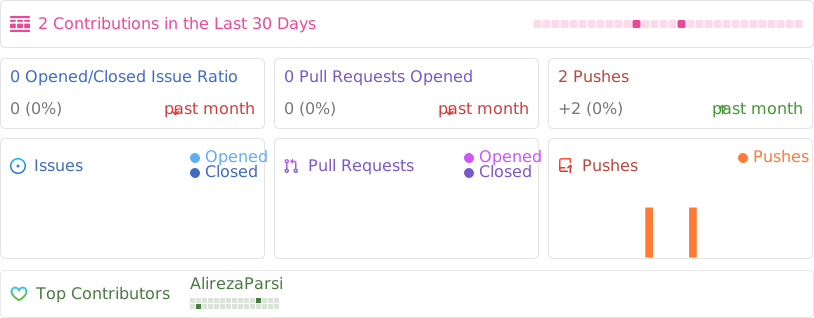
📈 Activity
If COPG leveled up your games or apps, drop a ⭐ — it really helps!
Made with ❤️ by Alireza Parsi · © 2026 COPG Project